
For Established Patients
Patient Portal and Mobile App
Use the Kura mobile app or browser portal to manage routine parts of your care, including appointments, refill requests, secure messages, records, lab results, and invoices.
New to Kura Health? Please book your first appointment before portal or app access can be created.
Start Here
Choose the option that best fits what you need today.
Use the Mobile App
Best for established patients who want quick access from their phone.
Download AppOpen the Browser Portal
Use the browser portal from a computer, tablet, or phone without downloading the app.
Open Patient PortalUpload Requested Documents
Send your photo ID, insurance card, lab results, imaging reports, or outside records when requested by our team.
Upload DocumentsChoose How You Want to Access Your Account
Established patients can use the Kura mobile app or the browser-based portal, depending on the device they prefer.
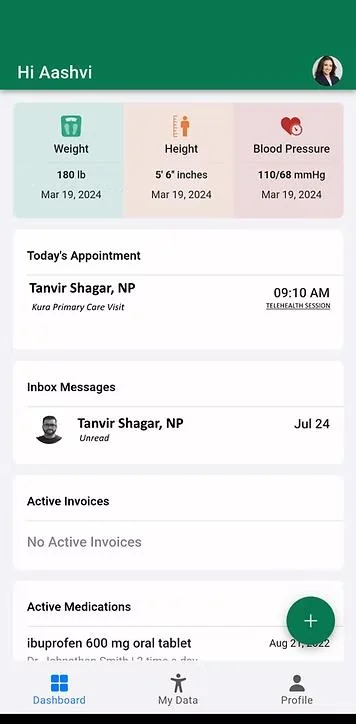
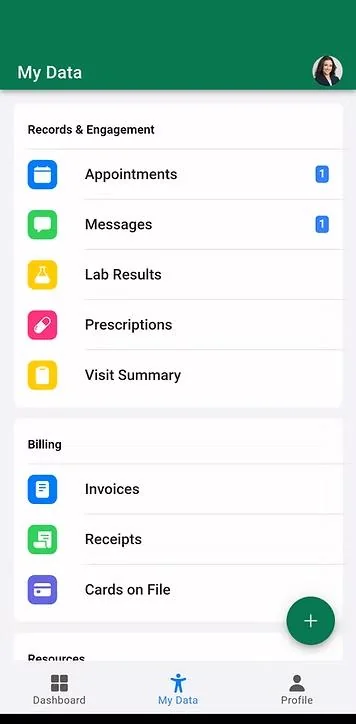
Download the Kura Mobile App
The Kura mobile app is the easiest way for established patients to manage routine care from an Android device. New patients must first register and schedule an appointment before app access can be granted.
Get it on
Google Play
Coming soon to iOS. iPhone users can use the browser portal for now.
Prefer the Browser Portal?
Use the browser portal to access your account from a computer, tablet, or phone without downloading the app.
Open Patient PortalWhat You Can Do
Use the app or portal for routine account access and non-urgent communication.
Manage Appointments
Schedule, reschedule, or cancel appointments when available through your account.
Request Refills
Send routine medication refill requests securely.
Send Secure Messages
Communicate with your care team for routine, non-urgent matters.
View Medical Records
Access visit information, health records, and documents available in your account.
View Lab Results
See lab results when they are available and released to your portal.
Pay Invoices
View and pay invoices online when available.
Portal messages and refill requests are for routine matters only and may not be reviewed immediately.
Need to Send Documents to Kura Health?
If our team requested documents such as your photo ID, insurance card, lab results, imaging reports, referral documents, or outside medical records, use the document upload page.
Please use the patient portal for routine messages and refill requests. The document upload page is only for sending requested files.
Upload DocumentsWhen to Call Instead
The app and portal are helpful for routine tasks, but they should not be used for emergencies or urgent medical concerns.
If you are not sure whether something is urgent, call the office for guidance.
Call Kura Health at (716) 204-4856Need Help With Portal Access?
If you are having trouble signing in, accessing the mobile app, opening the browser portal, or uploading requested documents, our team can help you with the next step.
Call Kura Health